Home / Blogs
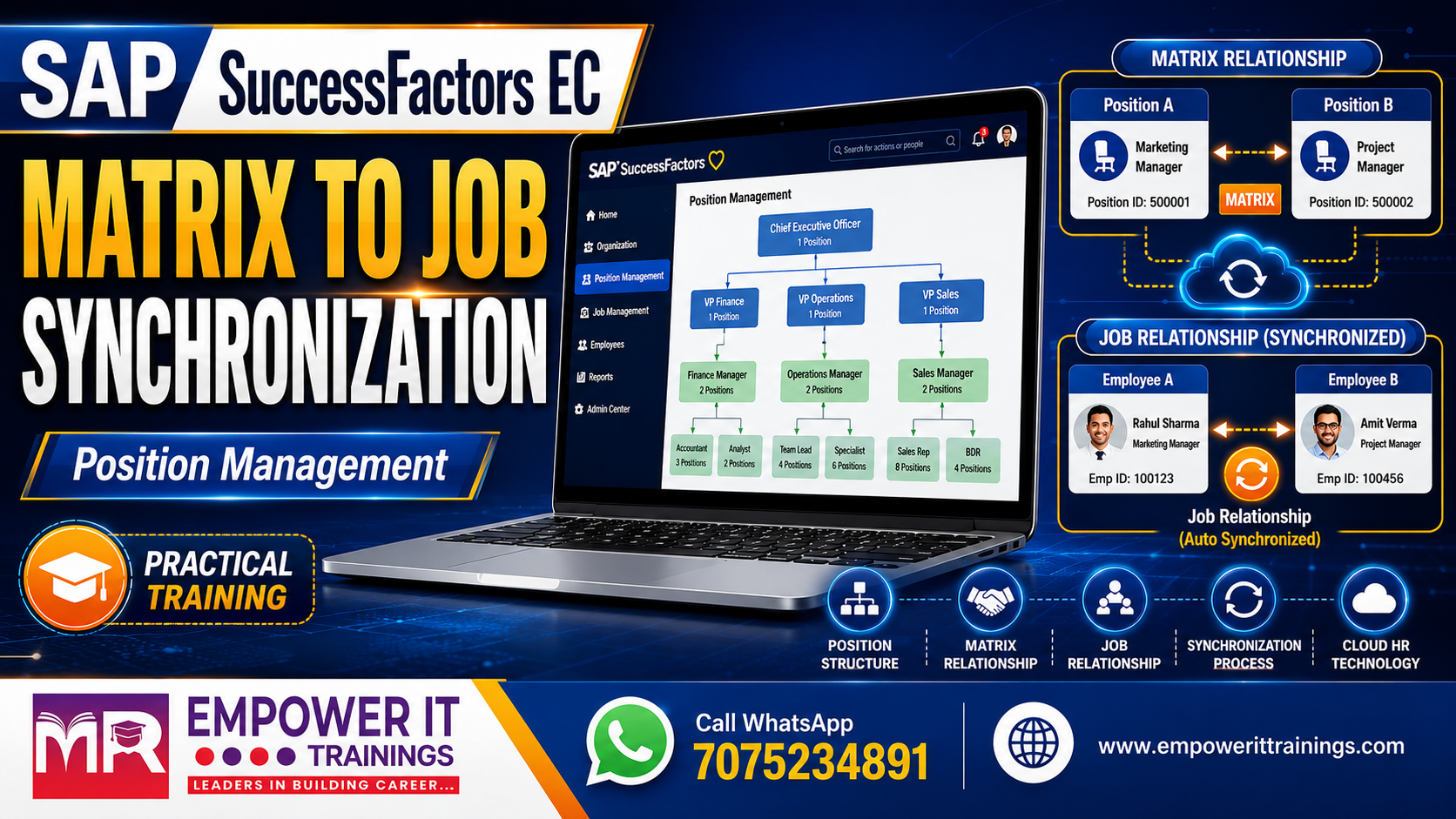
Making Sense of Matrix-to-Job Relationship Synchronization in SAP SuccessFactors Position Management
If you've spent any real time configuring Position Management in Employee Central, you've probably run into a question from a client that goes something like this: "We've set up matrix relationships on our positions — why aren't they showing up as job relationships on the employee's record?"
It's one of those areas of SuccessFactors that looks simple on paper but has a surprising number of moving parts once you dig in. I want to walk through how this synchronization actually works, where it trips people up, and how to configure it properly — based on what I've seen across a few implementations now.
Why This Even Matters
Most organizations today don't run a clean, single-line reporting structure anymore. An employee might sit on two or three projects at once, answer to a functional manager for day-to-day work, and separately have an HR business partner assigned for people matters. That's a matrix structure, and SuccessFactors handles it through two related but distinct concepts:
The whole point of the synchronization feature is to stop HR admins from having to maintain both manually. Once it's configured, the system keeps job relationships in step with whatever matrix relationships are defined on the position — Matrix Manager, HR Manager, Additional Manager, Custom Manager, and Second Manager are the standard types you'll work with.
One thing worth flagging early because it catches people off guard: the sync only supports one value per relationship type. If someone configures two HR Managers on a matrix relationship, the system will pick one at random when it syncs. I've seen teams lose an hour troubleshooting “wrong” HR manager assignment before realizing this was expected behaviour, not a bug.
When Does the Sync Actually Fire?
This is the part I find people misunderstand most. The sync isn't something you watch happen — there's no visible progress bar or confirmation screen. It runs quietly in the background whenever:
That's it. No manual trigger, no UI feedback. If you're demoing this to a client, set expectations up front — they'll save a record, and the change will simply be there on the job relationships tab. Nothing dramatic to show.
There's also an important caveat here that I always call out during design workshops: if someone manually selects job relationships on the Add New Employee screen, or a business rule sets job relationships explicitly, that manual entry overrides the sync. The position's matrix relationships won't get pulled in for that employee. It's a small detail, but it matters a lot for organizations that use rules heavily during hire processes.
The Scenarios You Need to Design Around
Rather than treating this as one monolithic feature, it helps to think of it as a set of triggers, each with its own behaviour:
Assigning or changing a position via MSS or New Hire UI. If the newly assigned position has a matrix relationship of a given type, and the related position actually has an incumbent, that incumbent becomes the job relationship manager. No incumbent, no matrix relationship of that type on the position — nothing changes. Existing job relationships that don't have a matching matrix relationship on the position side are left alone, so you're not going to accidentally wipe out relationships that were entered manually for other reasons.
Removing a position assignment without reassigning. Nothing happens to job relationships at all. The system doesn't try to guess what you meant.
Position reclassification or transfer. This behaves much like a direct reassignment — the new position's matrix relationships sync in, with the same "preserve what doesn't have a matching matrix relationship" logic.
Updating a matrix relationship on the position itself, whether through the UI or an import — this only fires if the related position has an incumbent. Change or remove a matrix relationship, and the corresponding job relationship follows suit for every incumbent of that position.
An employee getting assigned to a position that other positions reference through matrix relationships. This is where it gets genuinely interesting. If the position doesn't allow multiple incumbents, the incumbents of the referencing positions get their job relationships synced to point at the new person — and if they already had a job relationship manager assigned for some other reason, that gets overwritten with the new incumbent. If the position does allow multiple incumbents, the system is more conservative: it only adds job relationships for people who don't already have one, rather than touching everyone.
Vacating a position that's referenced by matrix relationships elsewhere. This is governed by a setting called Synchronize Job Relationships for Vacant Matrix Positions, and it's worth spending real configuration time on because the three options behave very differently:

I'd argue this single setting is the one clients most need help thinking through, because the "right" answer really depends on how aggressively an organization wants relationships to auto-heal versus how much they want a human to review gaps.
Deleting a position record with a matrix relationship. Interestingly, this one doesn't ripple through — job relationships on the incumbents are left untouched even though the position record is gone.
Termination and replacement overlap. If an incumbent is terminated and a replacement is hired during a transition window, the position temporarily has two incumbents. Once the original person's termination date actually hits, the sync job transfers job relationships over to the new incumbent. One restriction to remember: if the replacement leaves during that overlap window, job relationships won't automatically flow to whoever gets hired next for the same position. That's a manual fix.
The Automated Background Job — Handling Future-Dated Changes
Real-world position and job info changes are rarely effective "today." Someone gets promoted three weeks from now, or a matrix relationship on a position is scheduled to change next quarter. This is where the Automated Position Matrix Relationship to Job Relationship Synchronization job comes in — it's built specifically to catch future-dated records that the real-time sync wouldn't touch yet.

The job scans for future-dated Job Information and position records and checks whether matrix and job relationships are aligned as of those future effective dates. If they're not, it creates the correcting record — but only as of the date things actually go out of sync, not the date the job happens to run.
A configuration detail that's easy to miss: the Offset in Days setting (0–30) controls how far into the future the job looks, not the effective date it writes to. Set it to 7, and the job will pick up anything scheduled within the next week; set it to 0, and it only looks at changes effective that same day. If your offset is more than 1, be aware the same future record can get evaluated on multiple job runs until its date actually arrives — that's expected, not a sign something's broken.
There's a good example that makes this click: say a position has a matrix relationship change scheduled for July 1st, switching the HRBP from one position to another. If an employee gets assigned to that position on June 1st — before the July change kicks in — their job relationships won't reflect the future change yet. It's only when the job runs on July 1st itself (with offset 0) that the correcting record gets created, updating the employee's HR Manager relationship as of that date.
A few operational notes worth remembering when setting this up:
To actually stand this up, you create a job rule under Scheduled Job Manager, set it to a daily recurrence, then flip the corresponding toggle under Position Management Settings → Matrix Synchronization. From there you can set your offset and, later, pull results from the Job Monitor if you ever need to audit what ran.
Don't Forget Import-Driven Syncs
If your data loads happen through Job Information import rather than screen-by-screen changes, there's a separate switch for that: Execute Job Relationship Sync, under the Import tab of Position Management Settings. Turning this on gives you a choice for how position terminations during import should behave — either sync the matrix relationship over (Sync Position Matrix to Job Relationship) or leave whatever job relationship already exists untouched (Retain Existing Job Relationship). For clients running heavy bulk loads, this is not optional to think through — get it wrong and you'll either overwrite relationships you meant to keep, or end up with stale ones nobody notices for months.
Configuring It From Scratch
If you're bringing Position Management into an environment that already has Job Relationships live, there's a bit of picklist plumbing to sort out first:
If you're setting up both features fresh, it's actually simpler — build one shared picklist, point both the jobRelationsInfo relationship-type field and the Matrix Relationship object's Valid Values Source at it, and you're done. One picklist, two features, no drift between them over time.
Once the picklist alignment is sorted, the actual sync behavior is governed by a single setting under Position Management Settings → Matrix Synchronization: Synchronize Position Matrix Relationships to Job Relationships of Incumbents. Your options are Always, Never, only on position assignment change, or only on matrix relationship change. If your org uses Position Types, be aware those settings — where configured — override this global one, so always check there first when troubleshooting inconsistent behavior across different position types.
Before you sign off on a configuration, run the PositionMatrixPicklistCheck under the Check Tool's System Health tab. It flags any values in your matrix relationship picklist that aren't mirrored in the job relationship picklist — a mismatch here is one of the most common reasons syncs silently fail to produce the expected result.
When Things Go Wrong: Admin Alerts
Even with everything configured correctly, sync jobs can hit errors — usually from data conflicts or records that changed mid-process. When that happens, the system raises a Position Management Synchronization admin alert, scoped to the specific position and effective date where the failure occurred. Expand it and you'll see exactly who was affected and why.
A few practical things to know before you rely on this for support work:
Getting comfortable reading these alerts is genuinely one of the more valuable troubleshooting skills for anyone supporting a live Position Management environment — most "the manager is wrong" tickets trace back to something sitting quietly in this alert list.
Final Thoughts
The matrix-to-job relationship sync is one of those SuccessFactors features that rewards careful upfront design far more than it punishes reactive fixes later. Get the picklist alignment right, pick a sensible vacant-position strategy, decide deliberately on your sync trigger setting, and set up the automated job with an offset that actually matches how far in advance your organization plans position changes — and this genuinely becomes something you never have to think about again.
Skip that upfront thinking, and you'll be the one explaining to a client six months in why their HR Manager field keeps showing the wrong person after every reorg.